Agent sandboxing is a blast radius decision
Ask one of the newer coding agents to fix a bug and it starts typing real commands into a real terminal: running tests, editing files, installing packages. Watch that long enough and a question arrives on its own: what is actually stopping this thing from doing something terrible? The usual answer is "it runs in a sandbox," and that word hides five very different mechanisms. This post walks them bottom to top, using a single file read to show where each boundary actually sits.
I mean normal software terrible, no science fiction required: deleting the wrong folder, reading a .env file it should never see, installing a package whose post-install script runs arbitrary code, following instructions someone planted in a README.
In the harness engineering post the execution environment showed up as primitive 05 and got a single paragraph. It deserves a full walk, because it’s the part of the harness that lives closest to the damage. If the harness is the system that lets an agent act, the sandbox decides where that action is allowed to land.
Intent versus containment
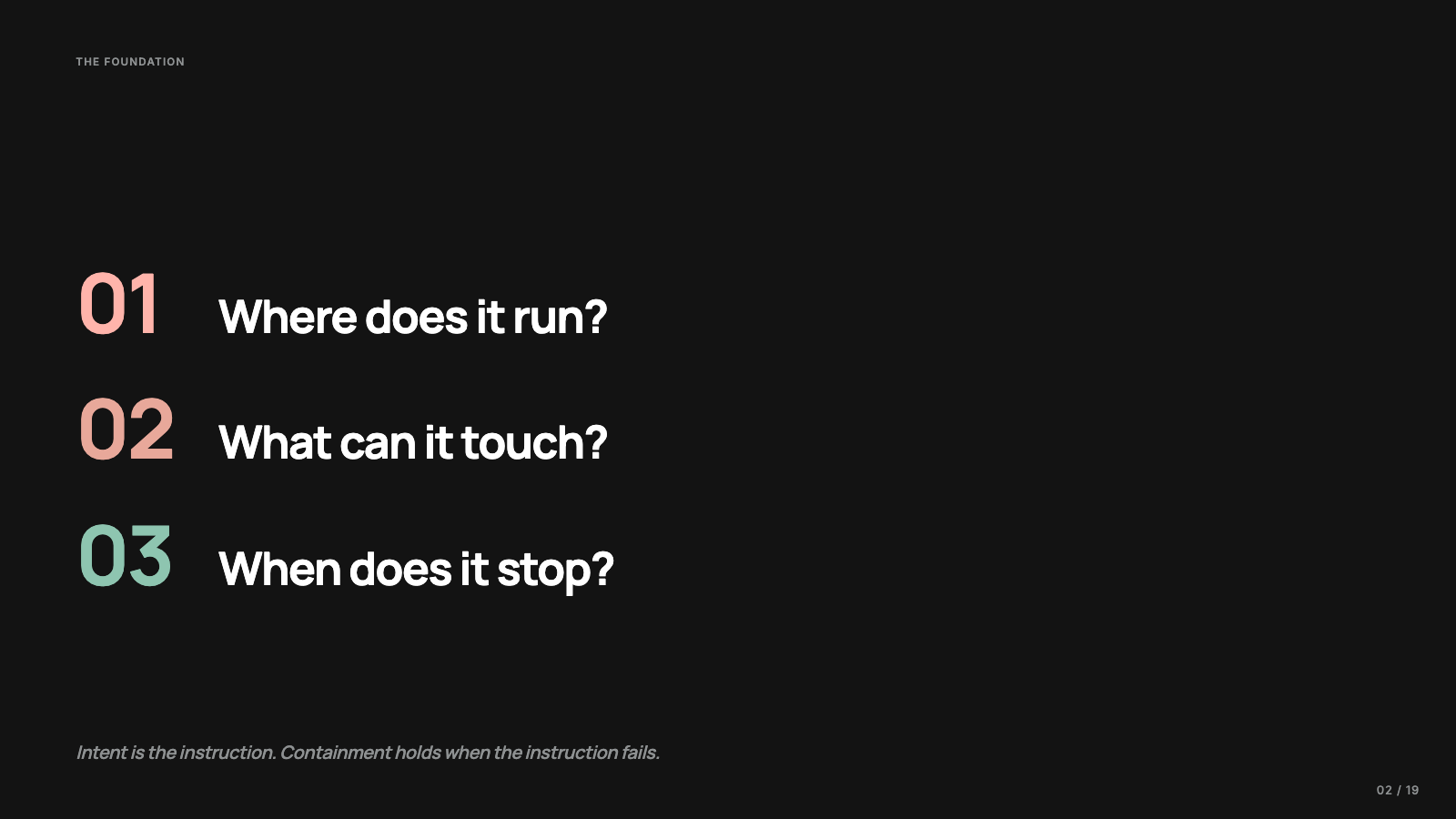
Every agent harness eventually answers three plain questions. Where does the agent run? What is it allowed to touch? How much can it do before a human or a policy stops it?
A model generating text in a chat window mostly risks giving you a bad answer. Give it tools and it can call APIs, read your repository, write files, spawn child processes, and run shell commands. Telling the model to only read files inside the project is useful guidance, but guidance is all it is. If the model tries to open your SSH config, the question that matters is whether the operating system or the runtime says no. So I separate intent from containment. Intent is what you ask the model to do. Containment is what happens when it tries something else. This post is about containment.
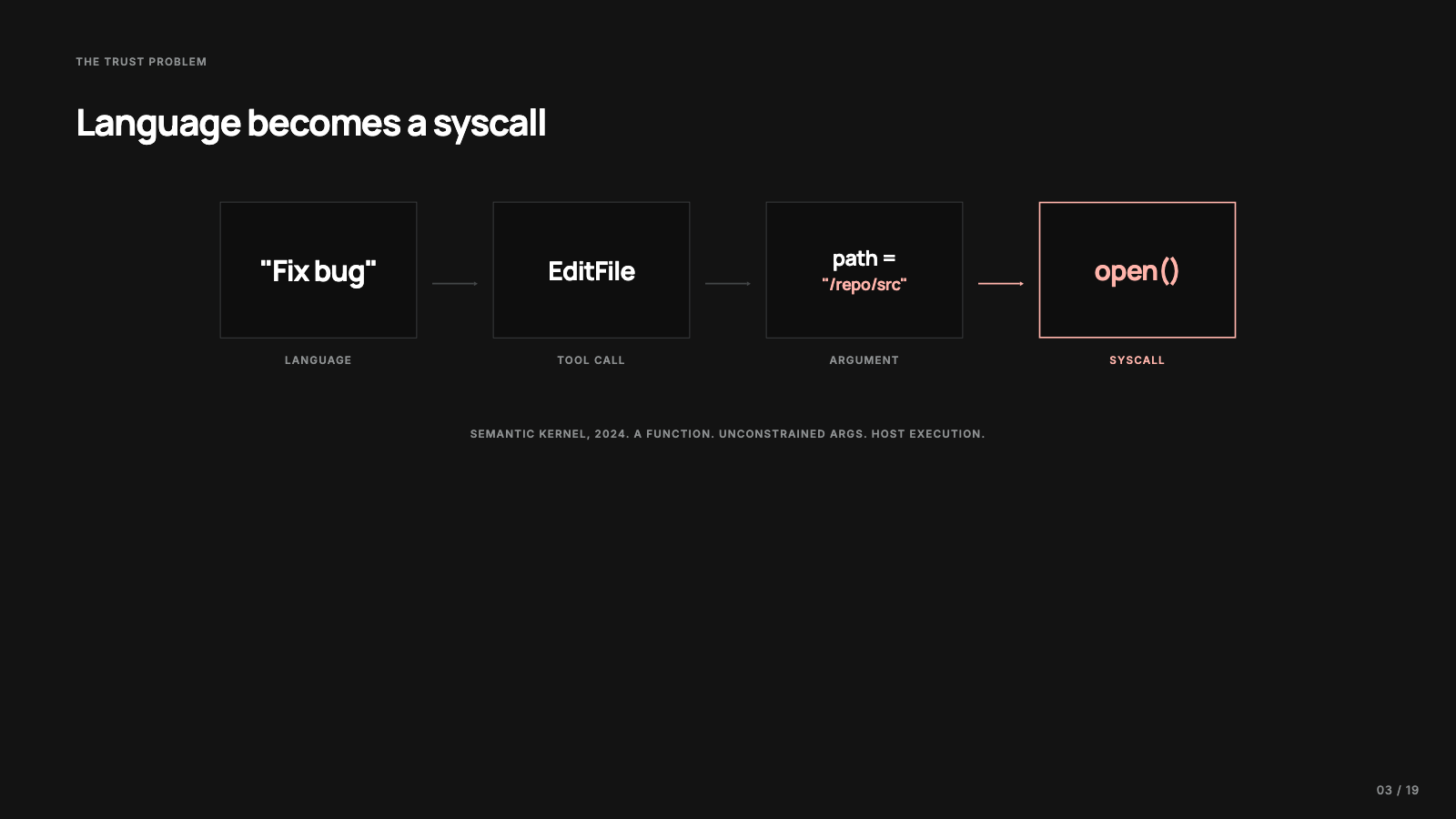
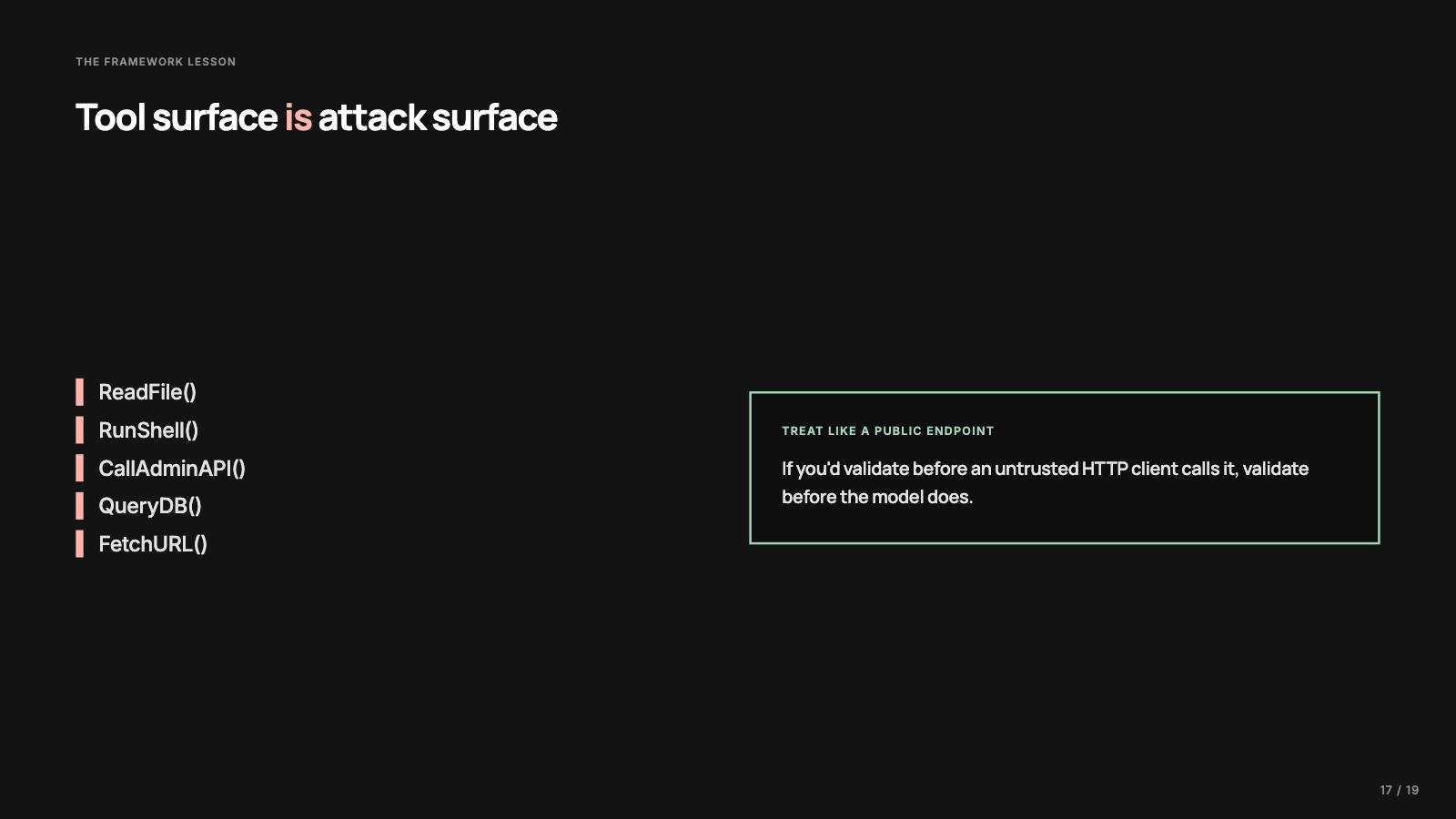
Microsoft’s Semantic Kernel vulnerability writeup is useful here because the failure it describes is ordinary. A function was exposed as model-callable, its arguments were not constrained tightly enough, and a piece of language became a path into host execution. The model did what the framework asked; the framework trusted the parsed tool call too much. Once a model can call tools, the tool list is an API surface: some endpoints harmless, some sharp, a few of them a terminal with a friendly name. I treat tools the way I’d treat public endpoints, with a minimal list, narrow contracts, and validated arguments. The sandbox sits underneath all of that as the second line of defense, for the day the first line misses something, which it eventually will.
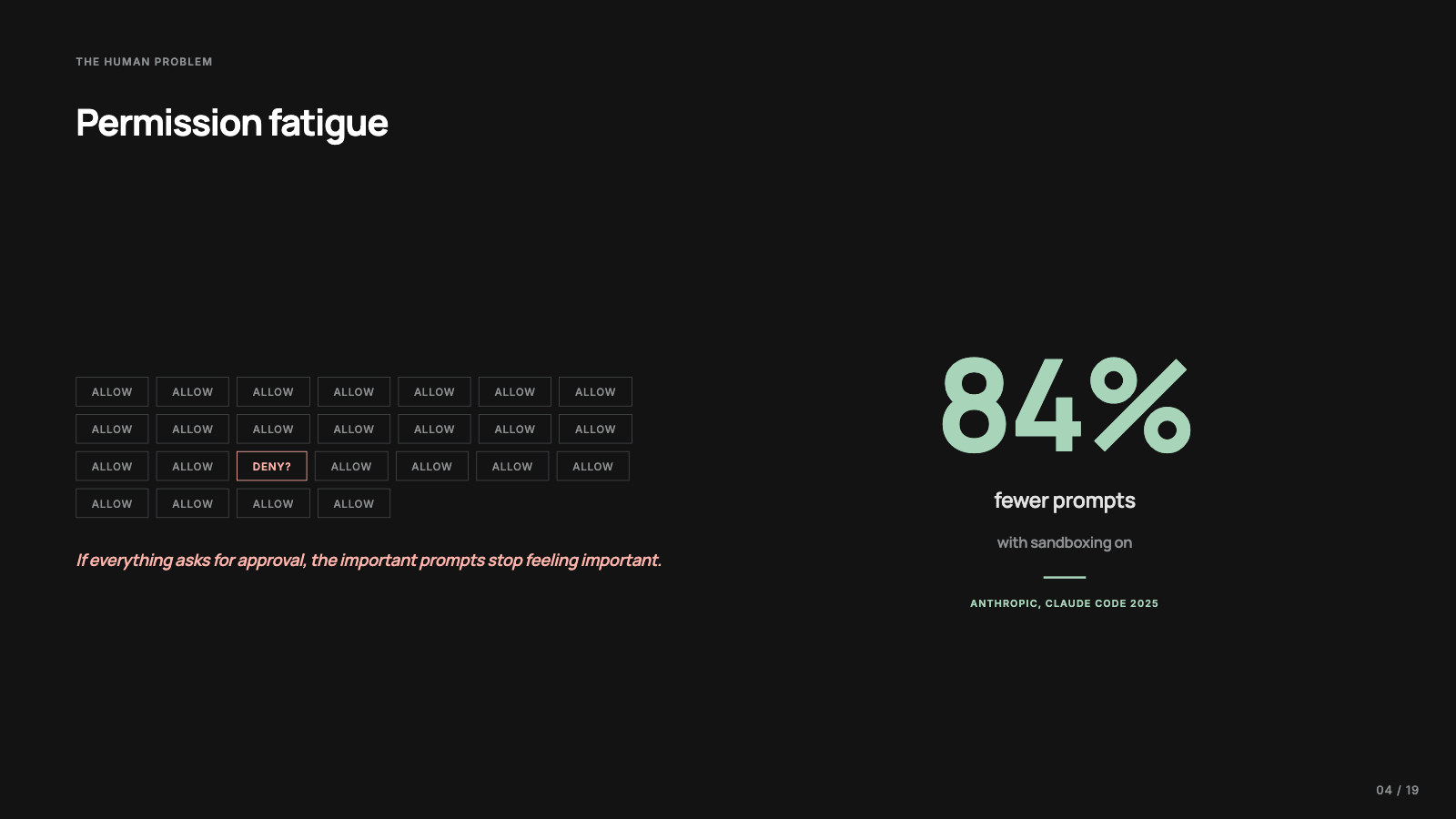
A lot of agent products lean on approval prompts as the main safety mechanism, and approving thirty tiny actions in a row turns a security decision into queue clearing, the same fatigue we’ve watched play out with browser permissions and cookie banners. Anthropic reported that turning sandboxing on cut Claude Code’s permission prompts by 84 percent, and I’ve written before that I read that number as an architecture lesson: many prompts were asking a human to compensate for missing containment. The rest of this post is the machinery underneath that note.
The isolation stack
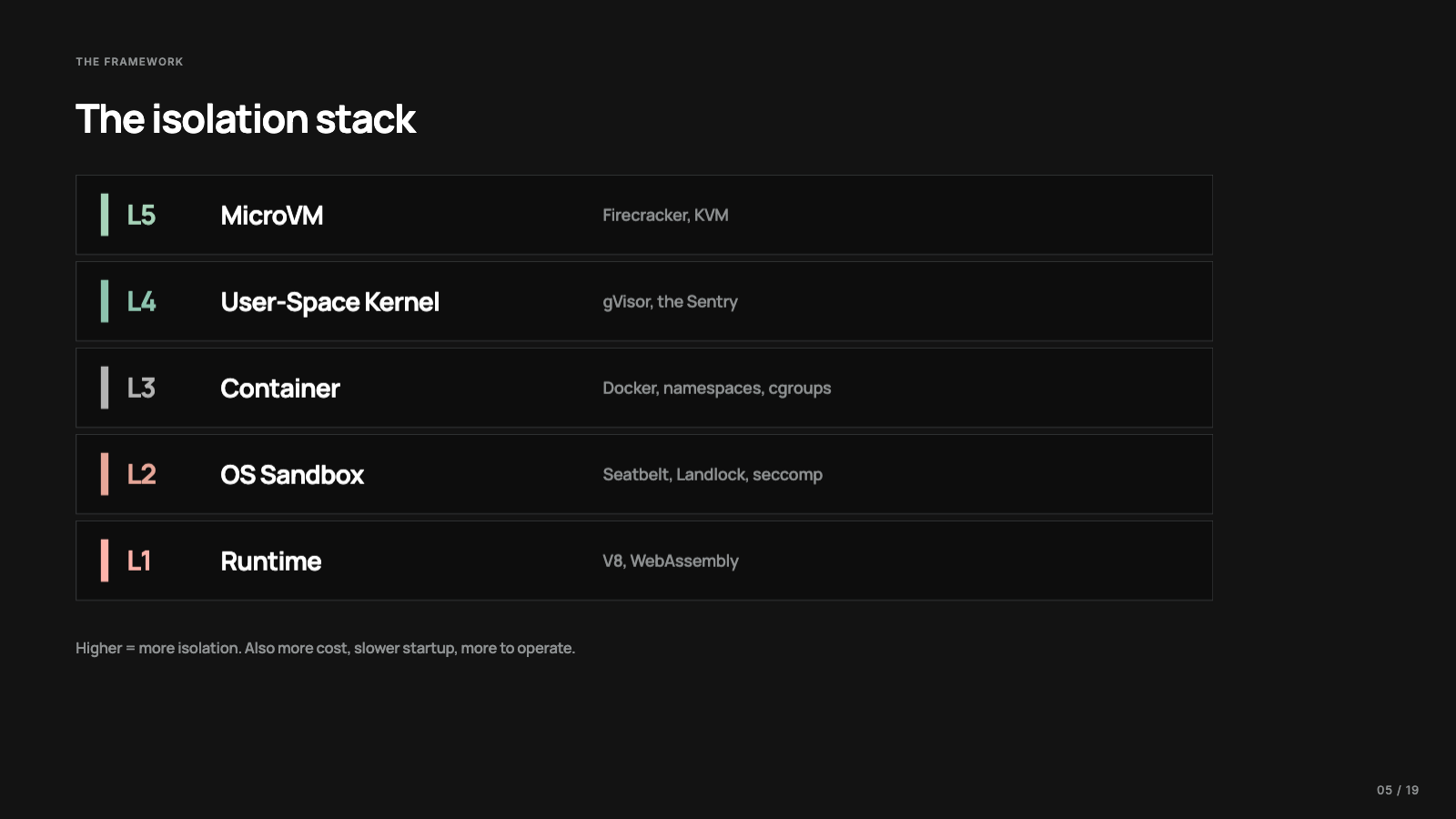
The organizing question for the stack is where the damage stops if the agent goes wrong.
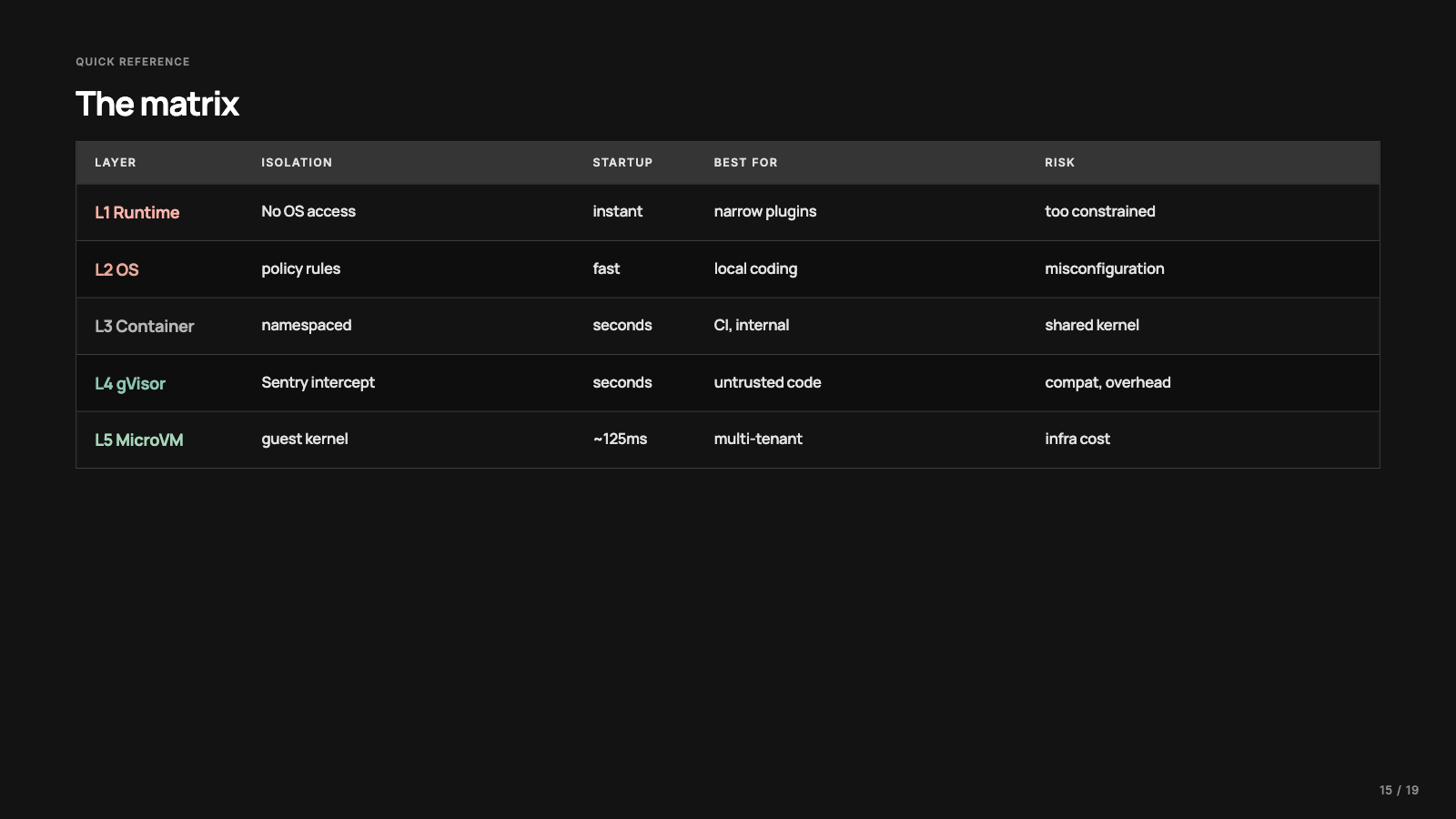
At the bottom sits language runtime isolation: V8 isolates and WebAssembly, where code has no operating system powers unless the host hands them over. Above that, operating system sandboxes: Seatbelt on macOS; bubblewrap, Landlock, seccomp, and namespaces on Linux. The process is real and runs on your machine, with a policy wrapped around it. Then containers, which give a process its own view of the file system, processes, users, and network while still sharing the host kernel. Then user-space kernels, gVisor being the best known. And at the top, microVMs like Firecracker, where the workload gets its own guest kernel behind hardware virtualization.
Higher means more isolation. It also means more cost: slower startup, image management, networking work, more things to debug. The decision that matters is the cheapest boundary that still contains the failure you’re worried about, which is rarely the strongest sandbox you’ve heard of.
One file read, five boundaries
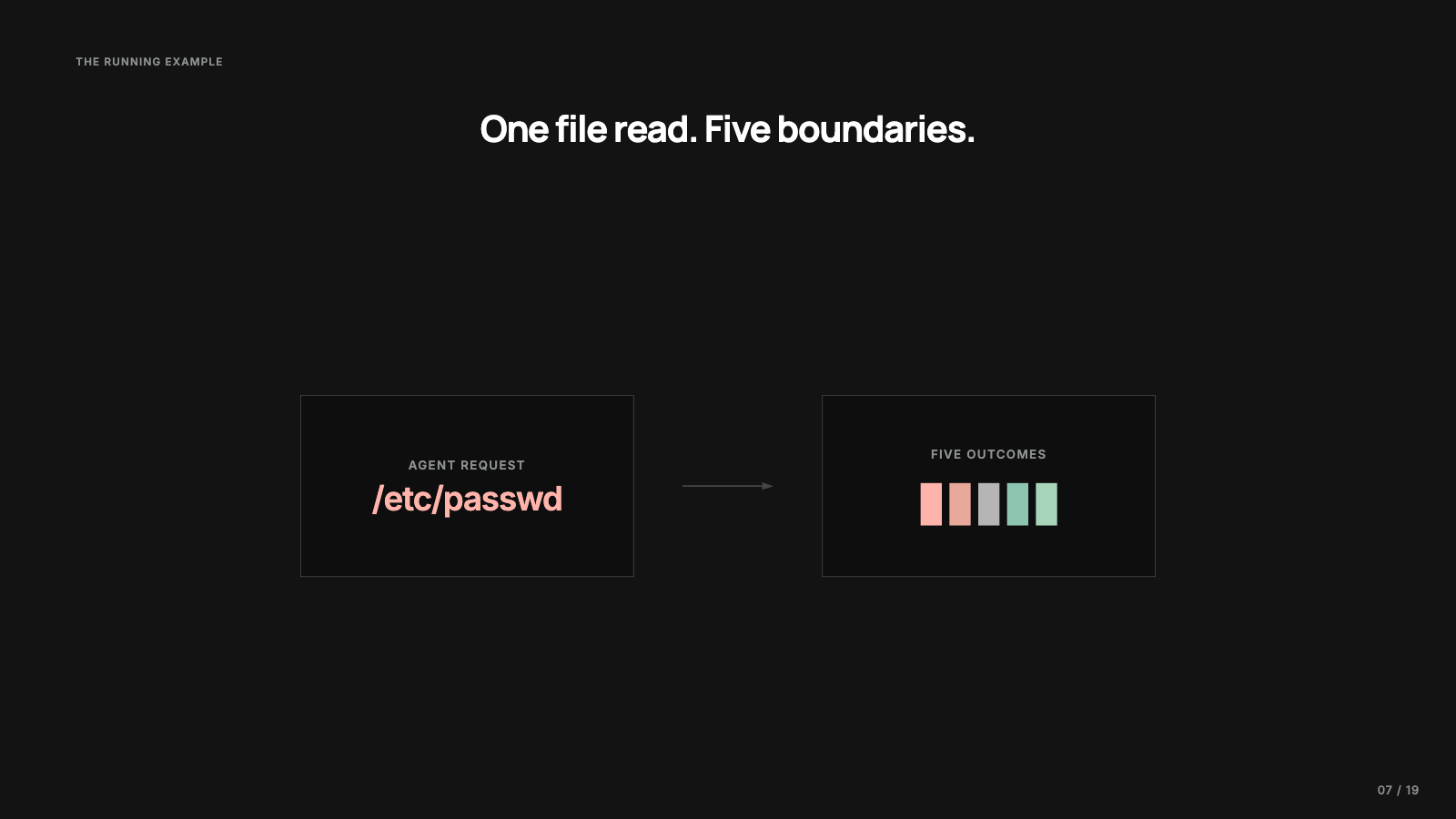
To tell these layers apart I’ll use one tiny operation as the running example: the agent tries to read /etc/passwd, a real host file describing local user accounts. Modern systems no longer keep password hashes in it, but it’s a classic file that no coding task needs.
At the application level the read looks like fs.readFile in JavaScript, open in Python, cat in a shell. Once the request leaves the language runtime it becomes a system call: the program asks the kernel to open a path, the kernel checks the process, the path, the permissions, the mounts, and any sandbox policy, then either hands back a file handle or says no. Programs don’t rummage through disks on their own; they ask the kernel for access. Sandboxing is about controlling which requests reach the kernel, what the kernel believes the process may do, or which world the process thinks it lives in. One read is enough to show all five variations.
Layer 1: a room without doors
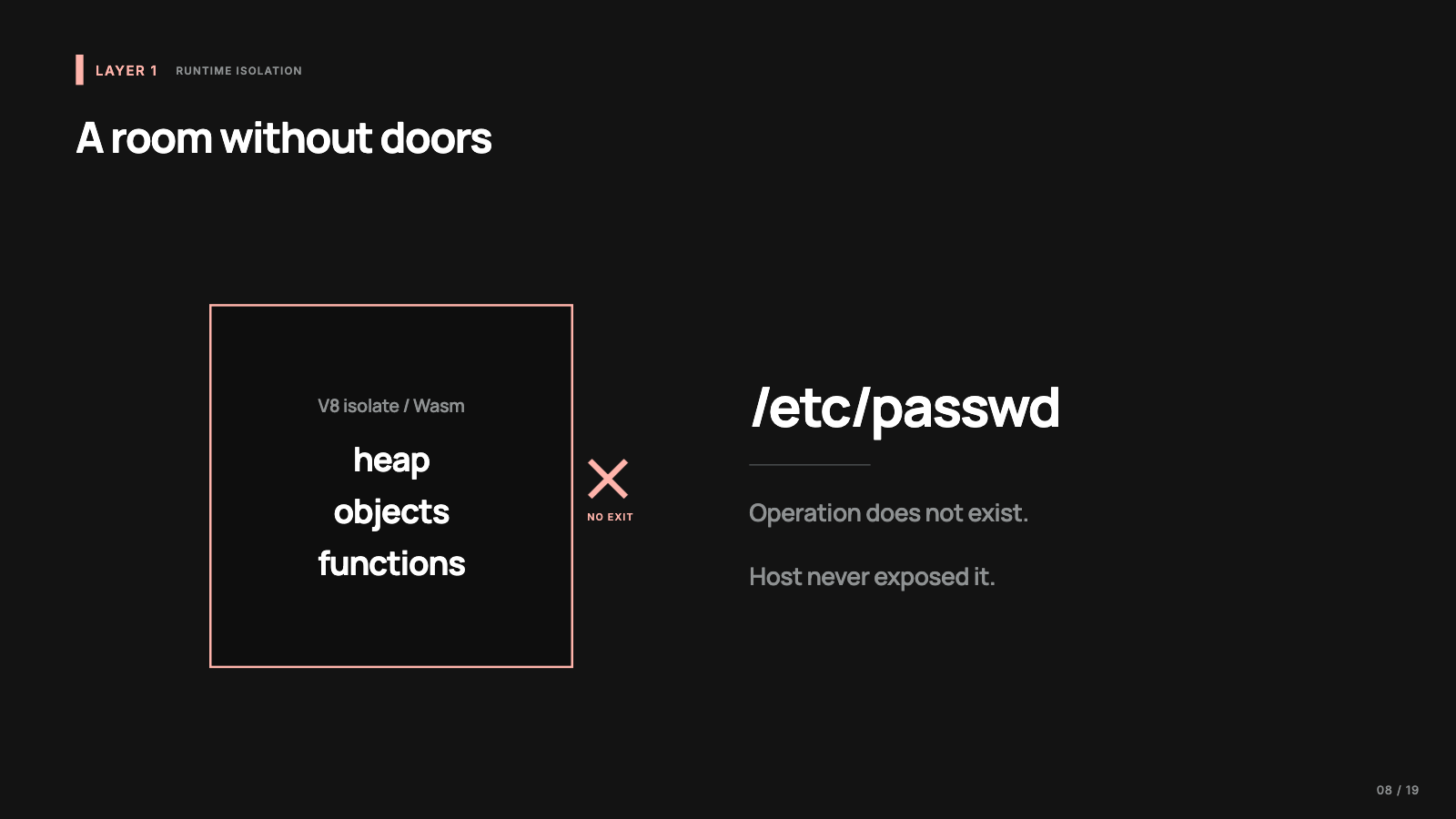
A V8 isolate is a separate instance of the V8 engine’s runtime state: its own heap, its own objects, its own execution context. A small JavaScript universe inside a process. Code inside it can compute, allocate objects, and call whatever host functions the embedder exposes. It cannot open a file, because unless the host provides a file API there is no file operation to call. JavaScript in a browser doesn’t get Node’s fs module; JavaScript in a carefully designed isolate might get two host functions and nothing else. WebAssembly works in the same spirit: a module gets linear memory, the runtime checks that loads and stores stay inside it, and anything beyond that has to be imported from the host.
So the answer to our file read at this layer is the most boring one available: the operation does not exist. It’s like asking for a door in a room that was built without doors.
That makes runtime isolation excellent for narrow jobs: run untrusted JavaScript to transform this JSON, run this plugin against these five host functions. It falls short for coding agents, because most of what makes a coding agent useful is contact with the real development environment: the file system, the shell, the test runner, the package manager, git. Strip the dangerous parts and you strip those too. At this layer the host decides which capabilities exist at all.
Layer 2: a real kernel with extra rules
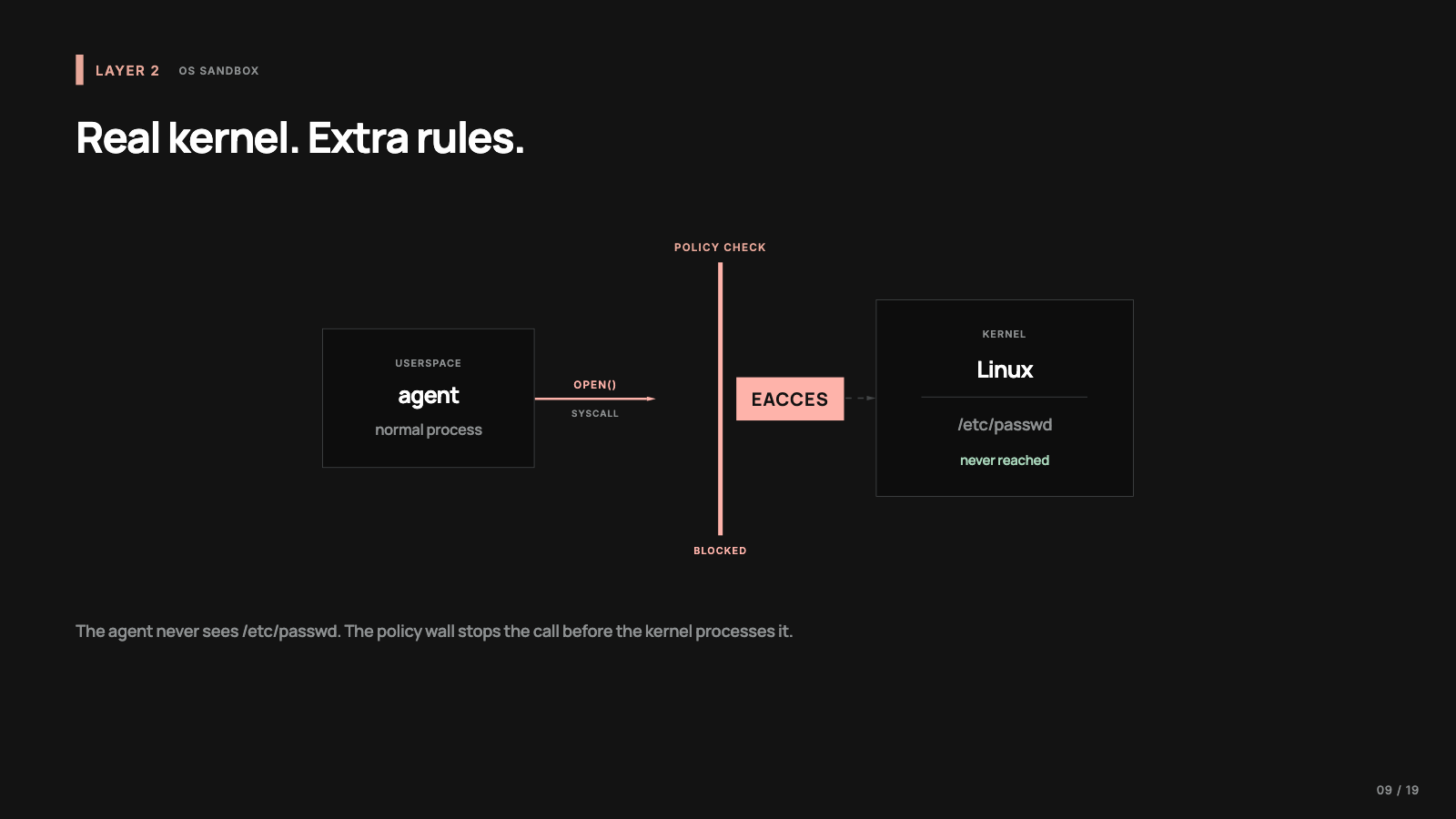
At layer 2 the process is real, the kernel is real, the file system is real, and the process runs under extra rules. On macOS the primitive is Seatbelt, the sandboxing system underneath Apple’s sandbox profiles: a policy describes what a process may read, write, execute, or talk to, and the kernel denies anything outside it. On Linux the pieces get composed: bubblewrap uses namespaces to build a restricted view of the system, Landlock is a file access ruleset a process can apply to itself and its children without needing root, and seccomp filters system calls.
Our file read here reaches the real kernel, the kernel checks the sandbox policy, and if /etc/passwd is outside the allowed set the answer is permission denied.
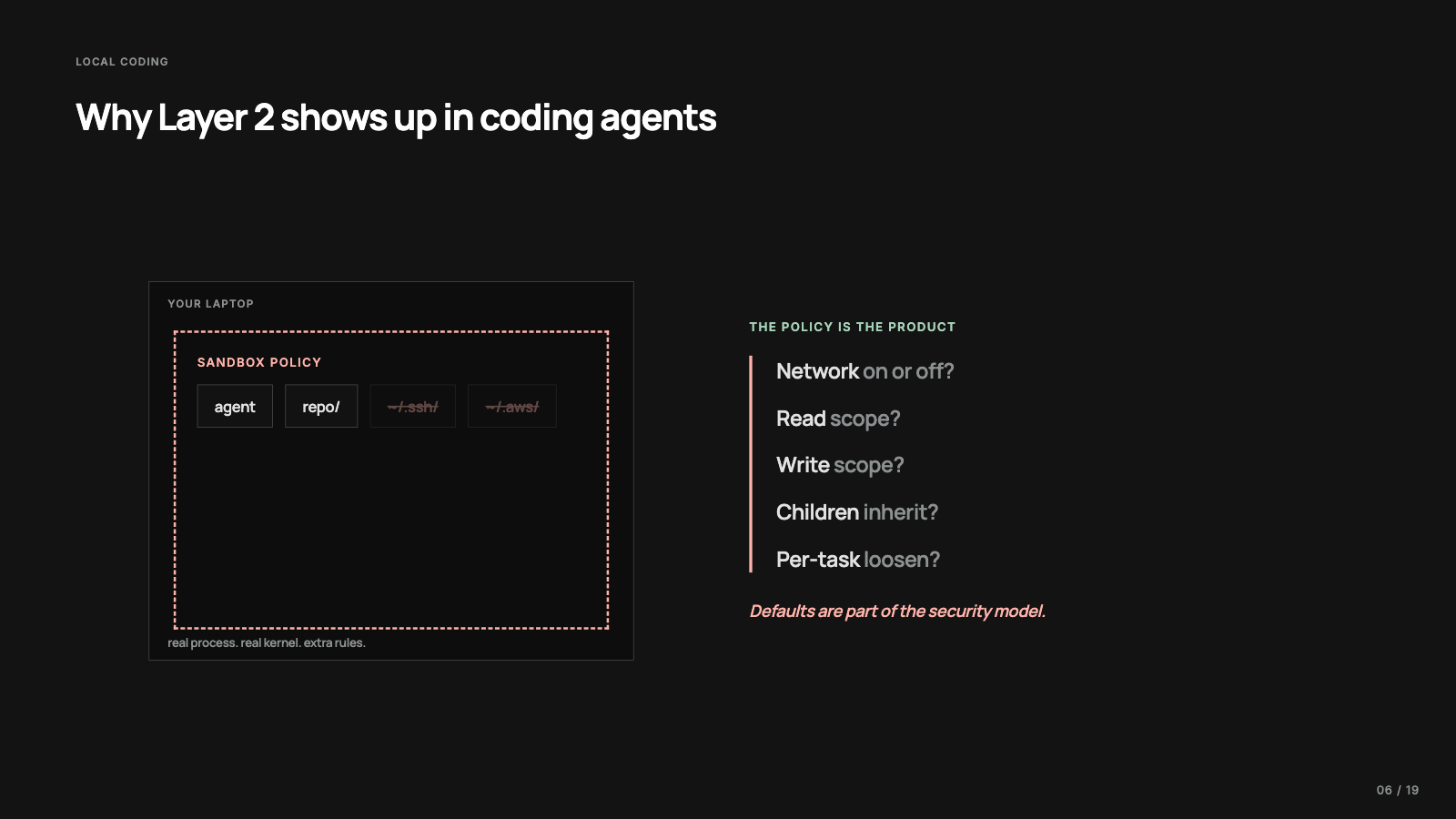
This is the layer local coding agents mostly live in, and the reason is ergonomics. An agent working on your laptop needs your files, your tests, your local tools, and the same Node or Python setup you already use. Put it in a clean VM and you get stronger isolation plus setup friction on every project. An OS sandbox lets the agent run as a normal process while the system says: this directory yes, that directory no, network off, writes limited.
The caveat is that this layer is policy driven, and the boundary is exactly as good as the policy you apply. If the allowed paths are too broad, the sandbox will faithfully enforce a bad policy. If network access is open, a read secret can leave the machine. If child processes don’t inherit the limits, the agent can ask another program to do the thing it couldn’t do directly. So the useful questions at this layer are about defaults: network on or off, read access to what, write access to what, do spawned commands inherit the restrictions, can the policy be loosened per task. If I were designing a local coding harness, the policy details are where I’d spend most of my attention. Treating “sandboxed” as a magic word instead of checking the exact policy is how you get a false sense of safety.
Layer 3: the same path in a different world
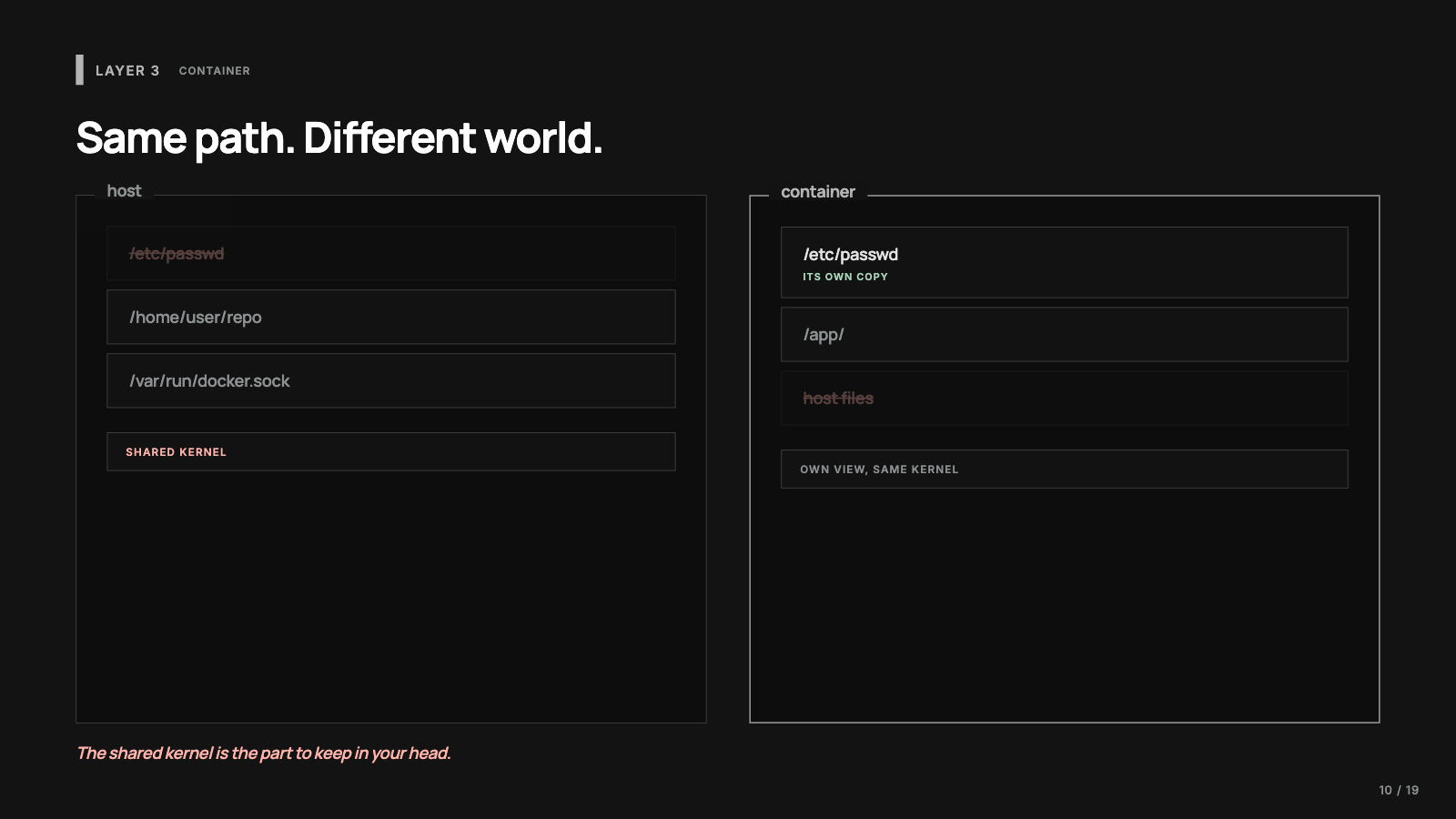
A container is a normal process, or a set of them, running on the same host with a different view of the world; there’s no tiny virtual machine in there. Mount namespaces give it its own file system layout, PID namespaces its own process tree, network namespaces its own interfaces, user namespaces their own user mapping, and cgroups keep it from eating the machine’s resources.
The file read may now succeed, but the file it reads is the container’s /etc/passwd, not the host’s. Layer 2 usually denies the read; layer 3 allows it and hands over a file from a different world.
Containers earn their popularity with agents: build an environment with exactly the dependencies the task needs, mount a working directory, remove network access, run as non-root, make most of the file system read-only, throw everything away afterward. For trusted or semi-trusted code that’s a practical trade. The caveat is the shared kernel. If the workload finds a kernel bug, the boundary is thinner than it looks. Mount the Docker socket into the container and you may have handed it control of the host. Run privileged and you’ve punched a hole through the whole model. Leave the network open and it can still ship data out. The question I ask is whether I’m comfortable running this workload on the same kernel as everything else I own; when the answer is no, I move up the stack.
Layer 4: a user-space kernel in the middle
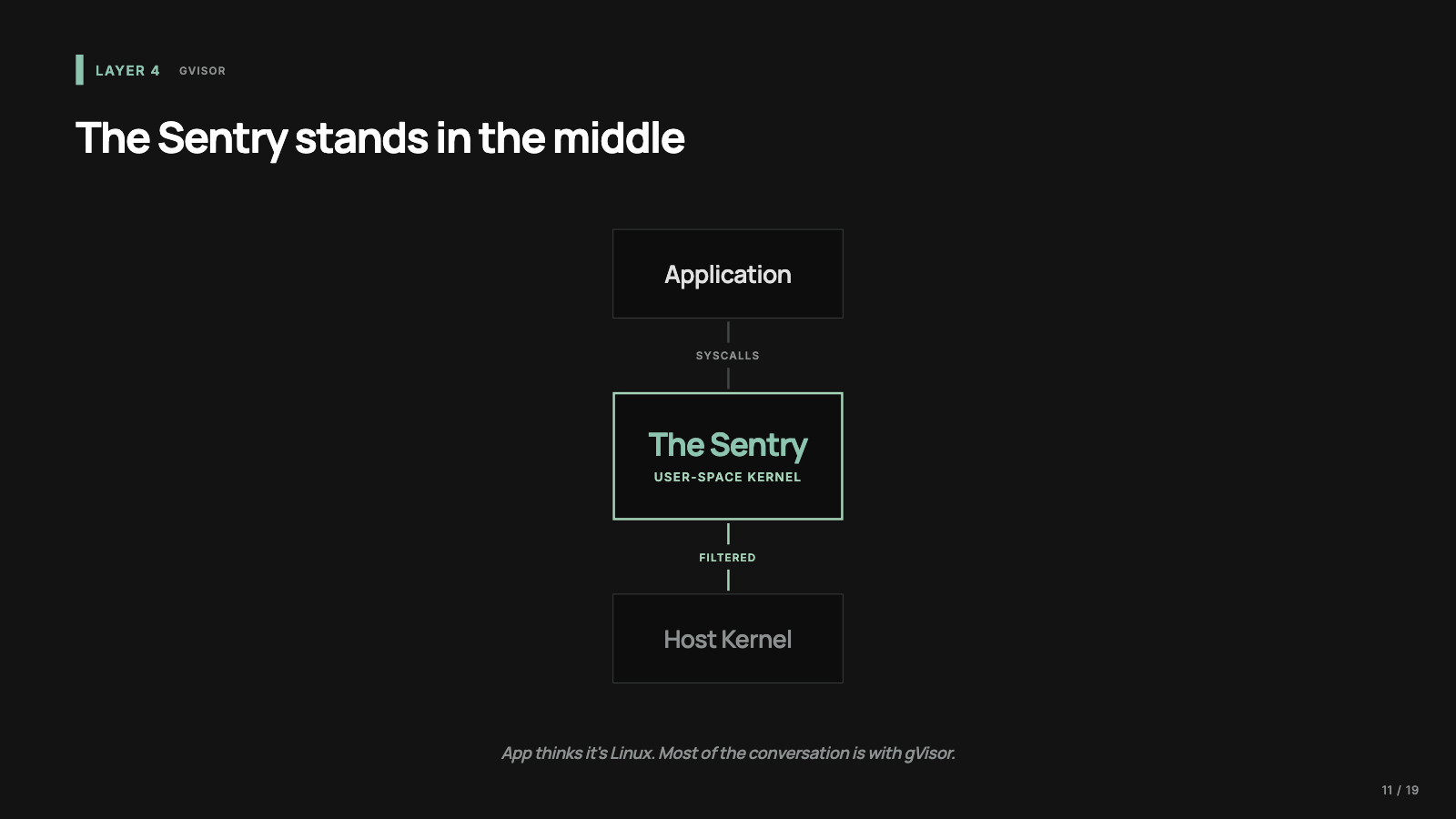
gVisor is the easiest layer to misunderstand. In a normal container, the application makes Linux system calls directly to the host kernel; namespaces shape what it sees, but the host kernel services the calls. gVisor changes that path. Many system calls are intercepted and handled by the Sentry, a user-space kernel that implements a large part of the Linux interface itself: files, memory behavior, signals, threads. The application thinks it’s talking to Linux, and much of the conversation is with gVisor first.
Our file read gets routed into the Sentry, which decides how its virtual Linux should respond: return a sandboxed file, deny the request, or fetch data through another gVisor component in a controlled way. The host kernel is still involved, since gVisor itself is a program running on the host, but the untrusted application no longer drives host syscalls directly. That indirection matters because kernel attack surface is one of the big concerns with containers, and gVisor reduces the direct contact.
The cost is compatibility and performance. Linux is huge, applications depend on strange corners of it, and some workloads make an enormous number of syscalls; a user-space kernel in the middle can mean overhead or compatibility edges. gVisor makes sense when you want a container-like developer experience but you’re not comfortable with raw container isolation, and full microVM infrastructure feels heavy. It’s a real platform choice, so the workload and the threat model have to justify the trade.
Layer 5: a machine inside the machine
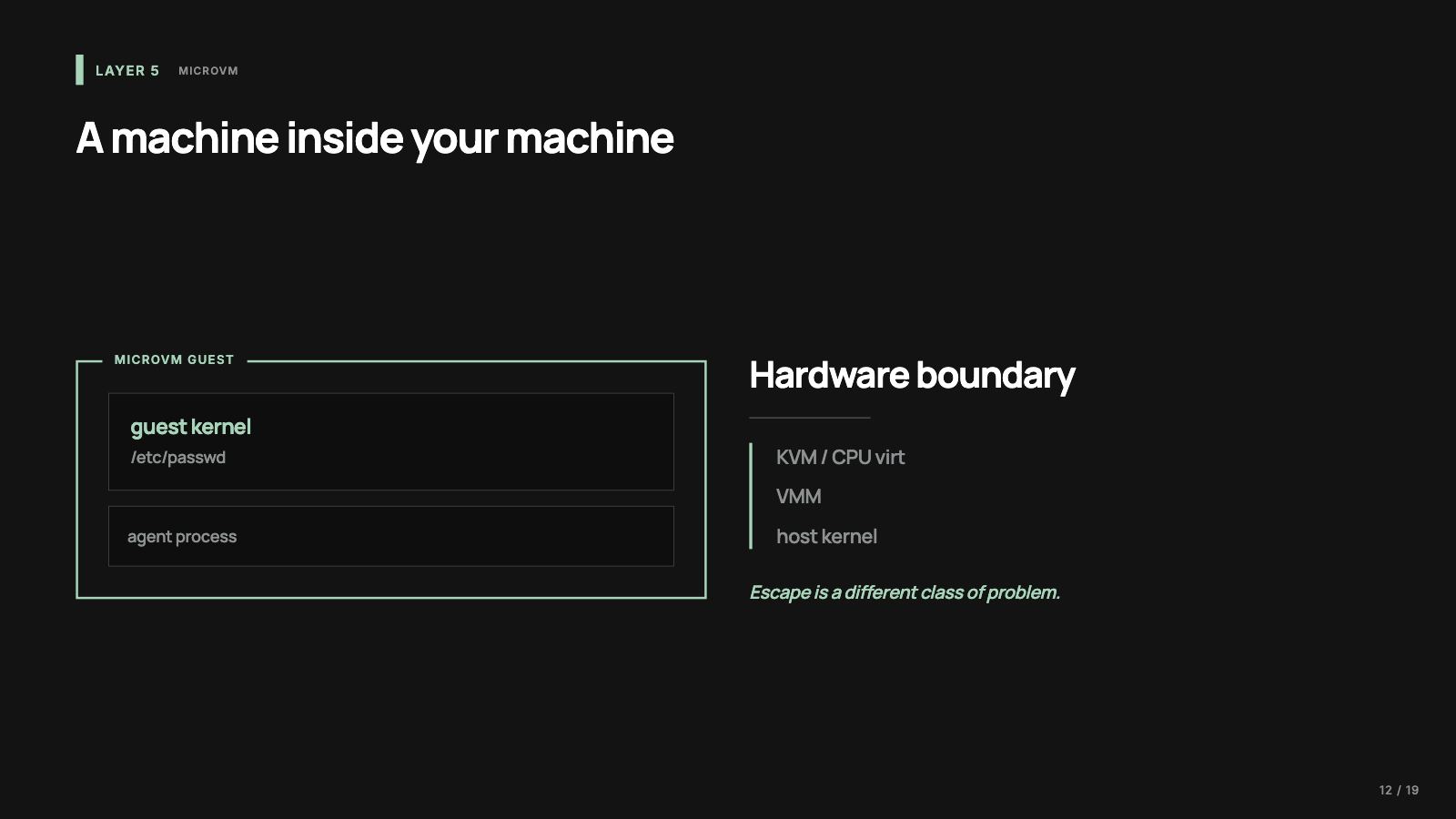
A microVM is a small virtual machine optimized for fast startup and high density; Firecracker, which came out of AWS for serverless workloads, is the usual example. The change that matters is the guest kernel. With Docker your process shares the host kernel. With Firecracker the process runs inside a guest operating system that talks to virtual hardware, with KVM and the CPU’s virtualization support underneath. A container is a restricted process on your machine; a microVM is a small separate machine that happens to run on your machine.
The file read is handled entirely by the guest kernel against the guest’s own root file system. The host’s file isn’t part of that world unless you explicitly connect it. If the workload does damage, it damages the guest: its own files, its own kernel, its own disk. Escaping from a guest into the host is a much harder class of problem than escaping a misconfigured process sandbox, which is why microVMs show up wherever products run other people’s code: hosted agent platforms, code execution products, anything multi-tenant.
The cost is operational: VM images or root file systems, networking, snapshotting, cleanup, and the machinery for moving input and output across the boundary, with GPUs making all of it harder. I wouldn’t start here for a local coding agent on my own laptop, and I wouldn’t stop at a plain Docker container if my product runs arbitrary user code. MicroVMs are for when the blast radius has to be tenant-sized instead of host-sized.
Same request, five outcomes
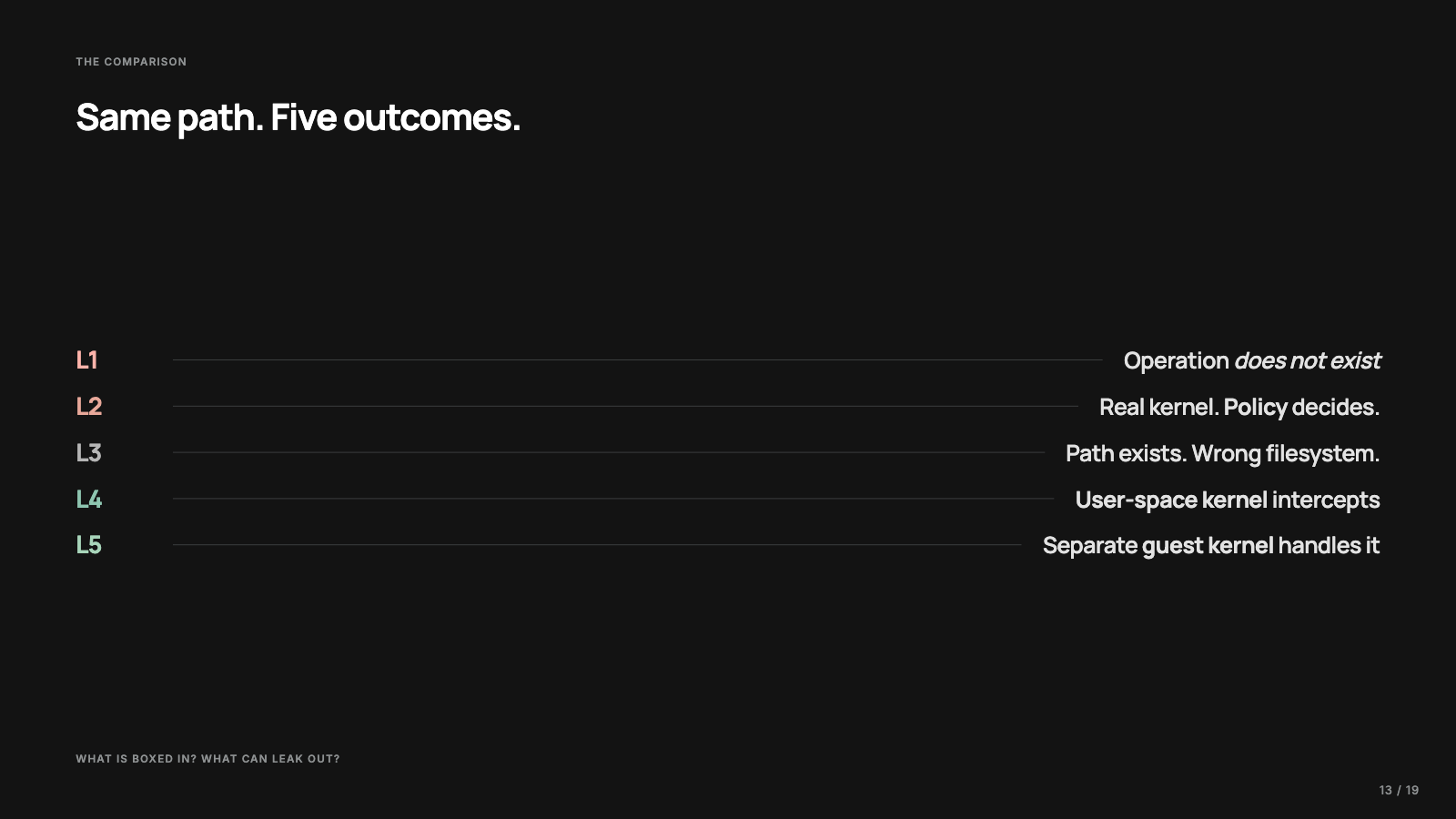
Here’s the same read at every layer, in one place.
Those differences change what a failure means. If a package’s install script turns malicious, which layer contains it? If the agent spawns a subprocess, does the boundary follow the child? The practical checklist is what exactly is boxed in and what can still leak out.
Choosing by blast radius
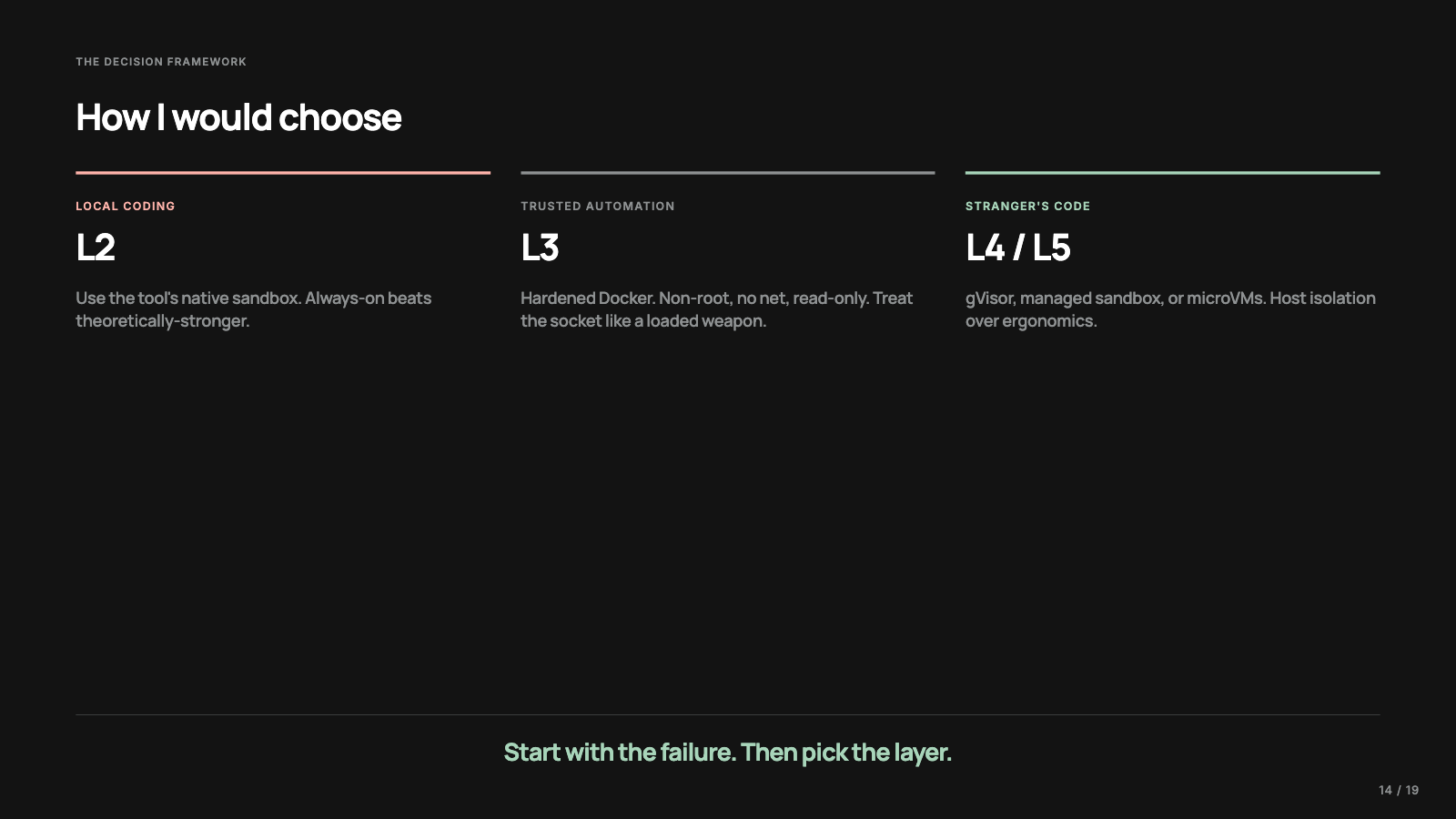
For a local coding agent, I’d start with the sandbox built into the tool. Codex and Claude Code both ship native containment, and I want to understand those defaults before inventing my own, because a sandbox that makes the agent useless gets turned off. A slightly weaker boundary that’s always on beats a theoretically strong boundary I keep bypassing.
For internal automation on code I trust, hardened Docker, where hardened means the boring settings: non-root, drop capabilities, network off unless the task needs it, mount only the required directories, prefer a read-only file system with scratch space, and treat the Docker socket as host access, because that’s what it is in practice.
For anything that executes user-submitted code, the threat model changes: the code may be hostile, the user may try to escape, the platform may be multi-tenant. That’s gVisor, managed sandbox platforms, or microVMs. And if you self-host Firecracker, reckon with the cost: you’re operating a small virtualization platform. It can be the right call; it should be a deliberate one.
The mistake I keep seeing is choosing by prestige, as if containers were childish and microVMs were automatically serious. Start with the failure you’re trying to contain and pick the layer that contains it.
Rules that survive the layer choice
A few rules hold no matter which layer you pick.
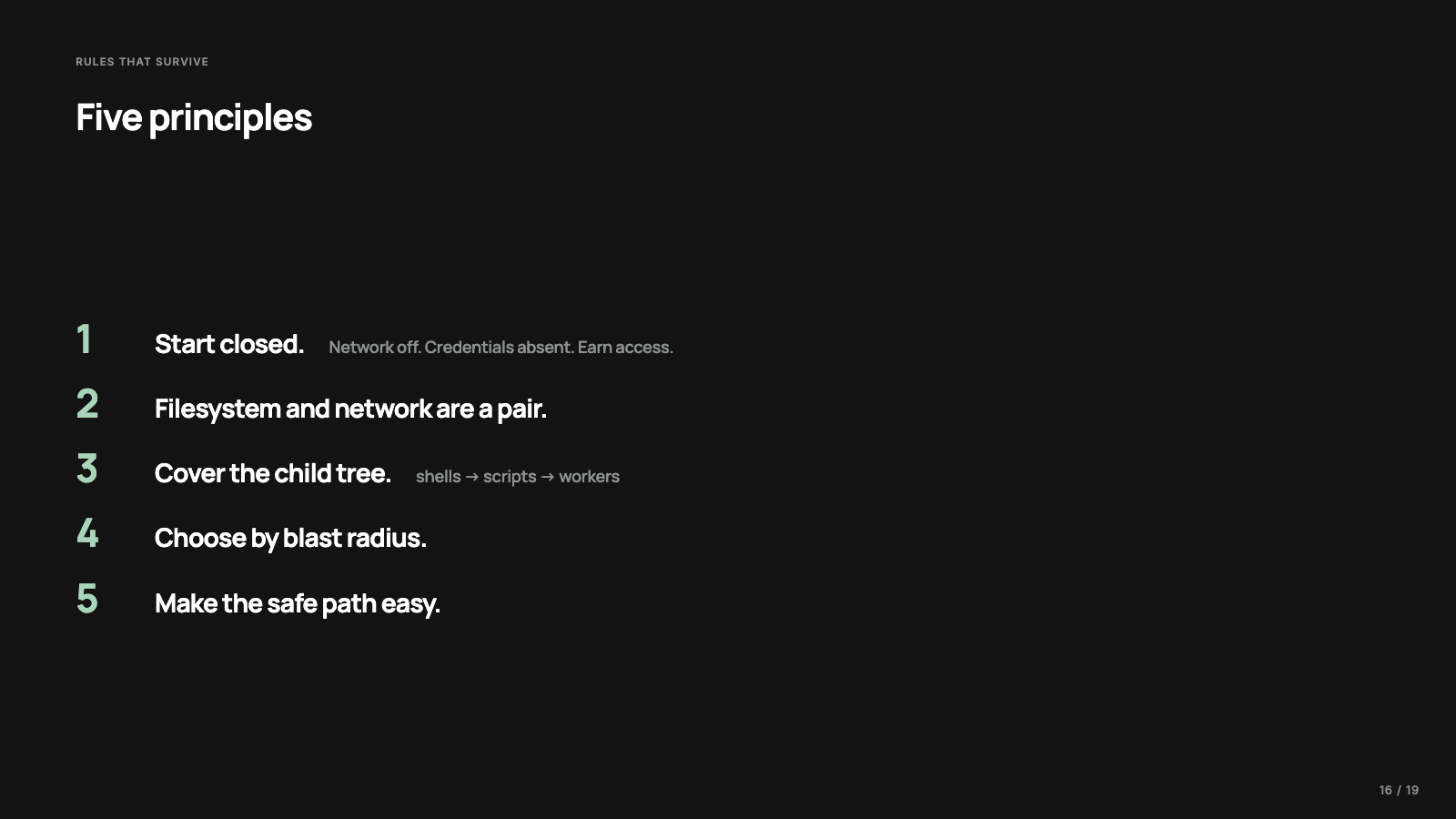
Start closed. Network off by default, writes limited by default, credentials absent by default. The agent earns access through configuration instead of inheriting it from your machine.
Treat file system and network as a pair. An agent that can read secrets and reach the internet has an exfiltration path. Simon Willison’s lethal trifecta names the same combination from the prompt injection side: private data, exposure to untrusted content, and the ability to communicate out.
Cover child processes. Shells call package managers, package managers run scripts, test runners spawn workers, build tools invoke compilers. A sandbox that applies to the first process and not the tree underneath it leaves the simplest escape route there is: ask another process to do the work.
Match the boundary to the blast radius. A personal agent editing one repo and a SaaS product executing code from thousands of users are different risks, and a reasonable sandbox for one is irresponsible for the other.
Make the safe path easy. If safety requires a long doc, three flags, and a perfect memory, it won’t be anyone’s daily path. Good defaults are how a security model reaches real users.
What sandboxing does not solve
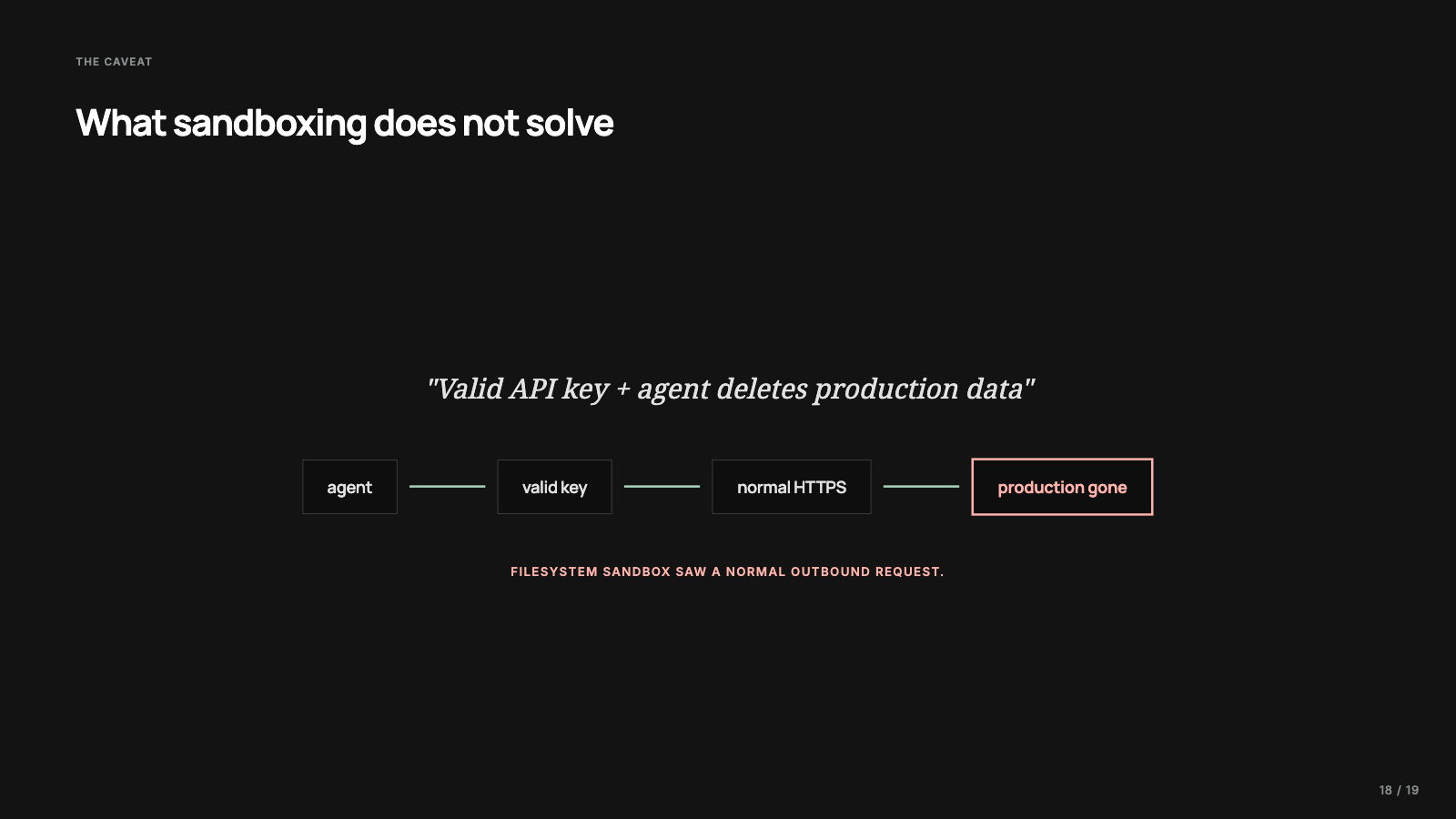
A sandbox limits where code can go, without making the intended action safe. Give an agent a valid production API key and it can delete production data through the official API, politely, over HTTPS. From the operating system’s point of view that’s a normal network request with valid credentials, and the tightest file system policy in the world has nothing to say about it.
So agent safety has at least three boundaries. The tool registry decides what actions exist, credentials decide what those actions can reach, and the sandbox decides where code is allowed to cause damage. Sandboxing covers only the third one, so I’d pair it with scoped credentials, an explicit tool registry, audit logs, and approval gates reserved for genuine boundary crossings. Software just got a new way to act, and this is the usual work of giving it a new way to be constrained.
The next question
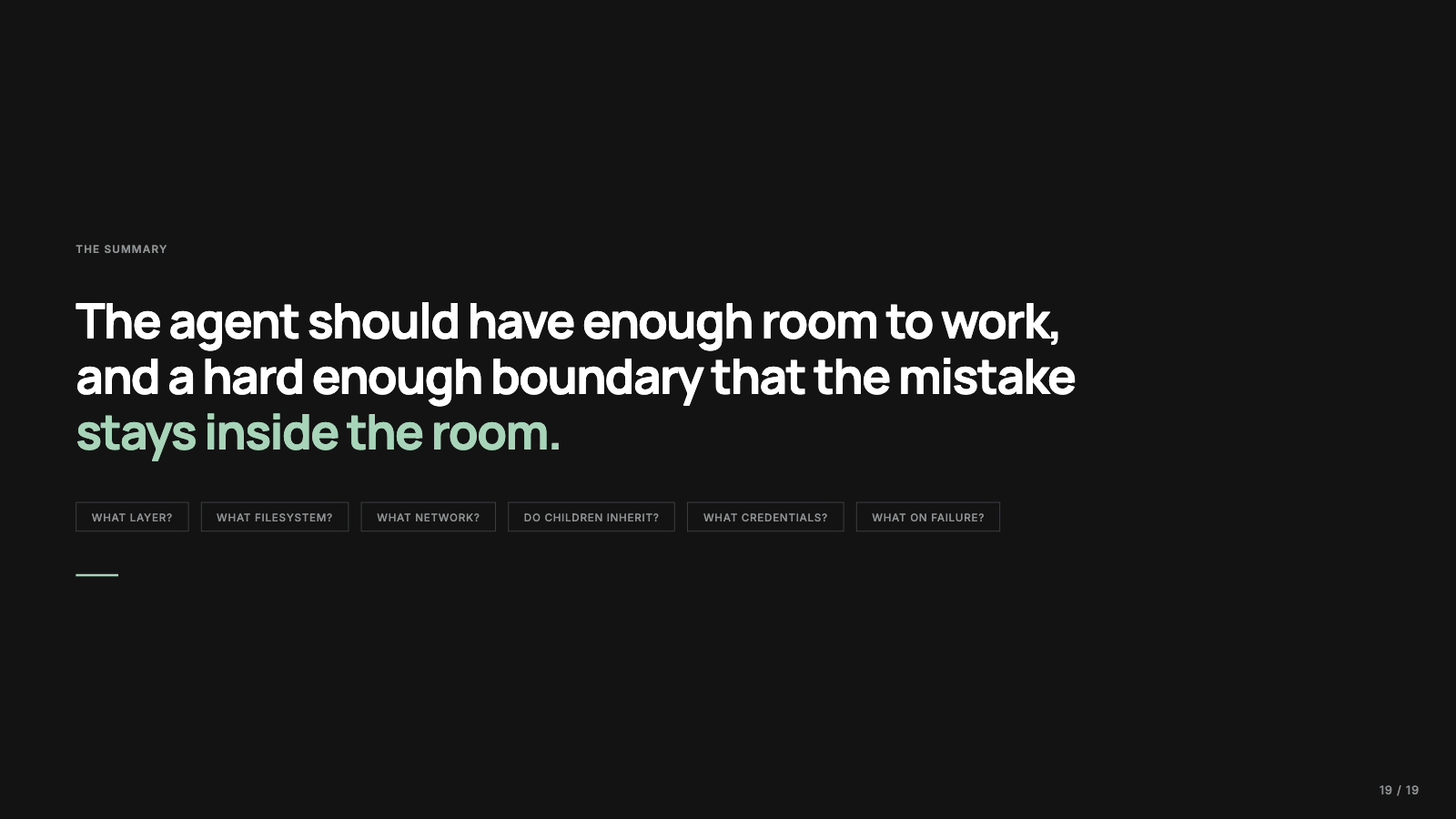
An agent harness is a runtime for delegated action. Once you see it that way, sandboxing stops feeling like an optional security feature and becomes part of the production architecture. So the next time someone says their agent runs in a sandbox, you have the follow-ups. Which layer? What file system access? What network access? Do child processes inherit it? What credentials are inside the boundary? What happens when the model confidently does the wrong thing?
The goal is an agent with enough room to work and a boundary hard enough that mistakes stay inside the room. For my own local agents, that currently means the tool’s native OS-level sandbox, network off by default, the repo as the main writable area, and a close eye on what child processes inherit. Tuning that balance between room and boundary is the part of the setup I keep coming back to.
Every figure in this post is a slide from the video, redrawn for the page. The full deck lives here too.

This post also exists as a 36-minute video deep dive, with the same diagrams drawn live. Watch it on YouTube.
Written by Ankit Desai. New posts ship every few weeks, each with a video edition.